The fuelemeter works in nearly the same way as our battery management. On the main page you will see a fuel bar and hear the fuel announcements from telemetry.
We use a flowmeter which gives us a defined pulse count by a turbine inside and a hall sensor. This type of sensors can be used for turbine driven models only, the vibrations of nitros/gasser will create much more pulses randomly than defined by fuel consumption.
Here a example of 2 different sensors, one with a thread and one with direct connectors to fuel lines. Keep note to swop the red and brown wire of a patch cable at the sensor side to connect according to the sensors data sheet (pin layout). Sensor here is from Bio-Tech.
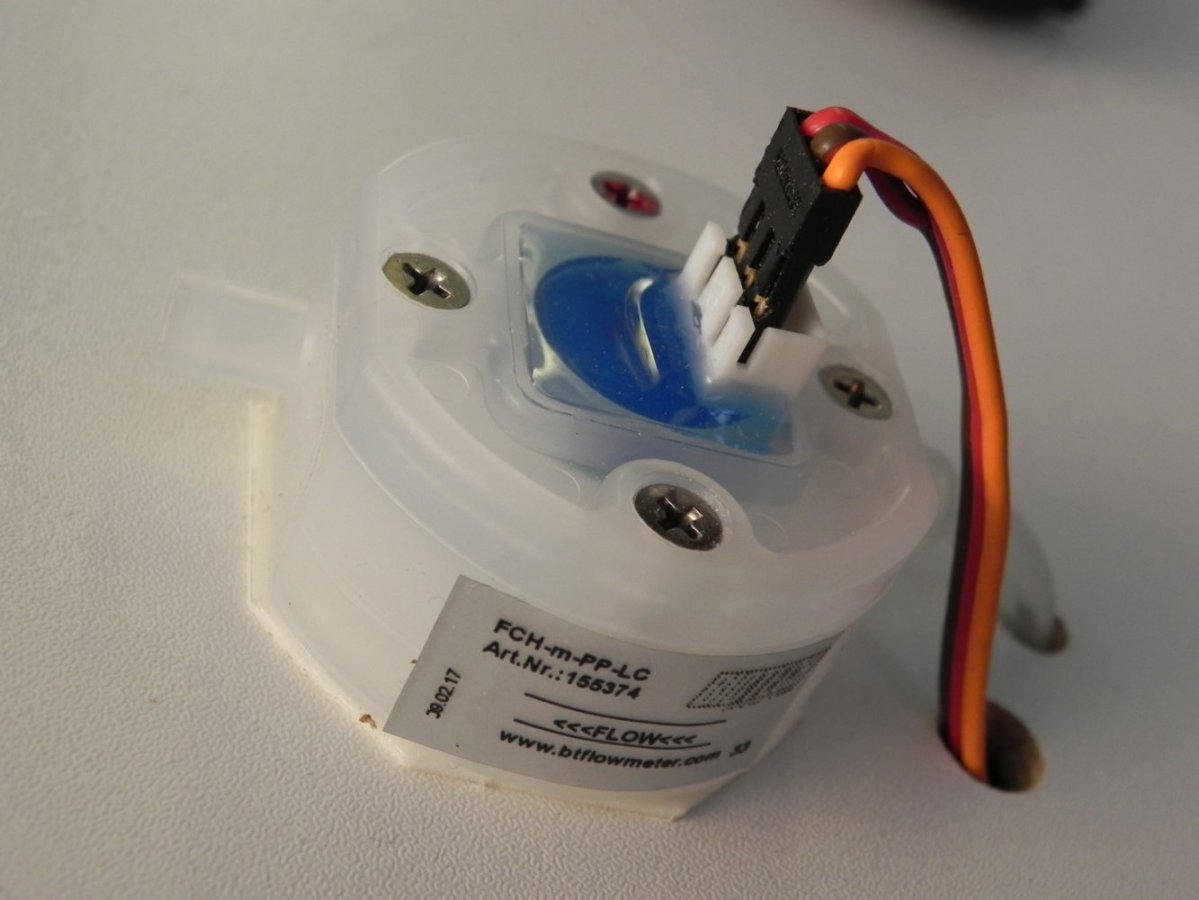
For enabling select the input AUX3, connect the sensor (see "counter" description, this is what we use here behind).
Set up the model fuel tank size and the pulses as well as the limit for "0%" announcement. If we speak 0% in flight - the 30% of 5000ml (1500ml) are still left. The pulse cound should be taken from the data sheet of the sensor but also should be watched in first flights, might be a bit readjustment needed in case of viscosity. So fly "half tanks" and check fuel state and display after landing to get the right numbers.
In fact, the alarm settings are the same, so set in one of both they will work in the other app too.
Live screen in flight
End of flight screen - also a /fuel log is created ;-)